


11/5/2026

Installing on a Mac (macOS)
A Derivation Planner installer can be downloaded from Derivation Planner 1.0.0 Mac Universal . This Mac installer is signed and notarized by Apple (Apple-silicon and Intel). Open the disk image and drag Derivation Planner to your Applications folder. (Mac computers will detect that it is signed and notarized and will allow it to run.)
This installs an app that runs on Mac computers (either Intel or ARM). The app is free, open source, no accounts, no ads, no data collection.
Installing on Windows
The app is available from the Microsoft Store https://apps.microsoft.com/detail/9n3cfwbp80nz . The app is signed by Microsoft which, in part, means that there are no security warnings and it can update automatically. Like the Mac version, the app is free, open source, no accounts, no ads, no data collection.
Further information on installing
There is more information about signing, privacy, and security issues in the section at the end of this page.
Introductory Video to the App
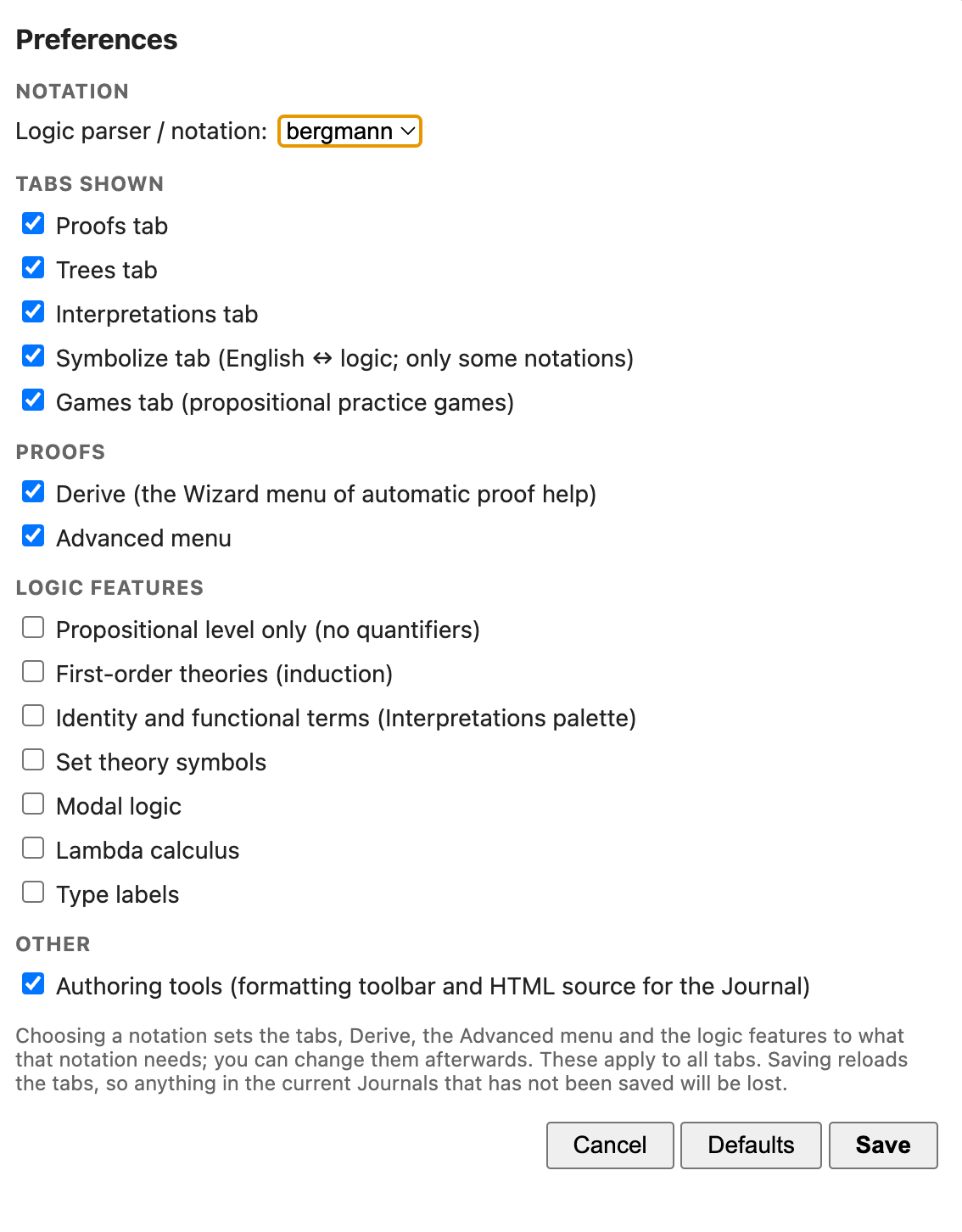
Arrange the settings as you would wish to have them
Derivation Planner can run eight or more different logical systems. It won't know 'out of the box' what configuration you would like. Please do an initial set up.
There is a Settings menu item under the Derivation Planner Menu.
If you would like to try some exercises in Derivation Planner
Exercises has a selection.
If you are totally new to symbolic logic
Pick one of the introductory 'books', say, Easy Deriver [Sentential and Predicate Logic—Bergmann Syntax] and work your way through it (doing the exercises!).
Releases, signing, and verification
Derivation Planner is open source code, freely available to all. There is further information about the installers (including the code, notes, licensing, and acknowledgements) on https://github.com/mfricke1947/derivation-planner/releases/tag/v1.0.0 .
There is a section there RELEASES-AND-VERIFICATION.md which gives an account of 'How Derivation Planner's installers are made, signed and checked'.
Privacy
Derivation Planner does not send any information anywhere. Its only network feature is File > Open from URL…, which fetches a web address that you type.